



Nissan Sentra 2020-2023 Brake Rotor Repair

Brake rotor replacement or repair may be necessary if the 2.0L engine, 8th generation, 2020–2023 Nissan Sentra isn’t stopping correctly. The comprehensive, step-by-step instructions you need to fix the rotors on your Nissan Sentra on your own are provided here. 

This tutorial will assist you in completing the process if your vehicle belongs to the following list of models:

  • Nissan Sentra 2020
  • Nissan Sentra 2021
  • Nissan Sentra 2022
  • Nissan Sentra 2023 


After you have confirmed that the model of your car is on the list, we can now tell you about the necessary tools.

Tools to perform the Removal & Repair

  1. Hydraulic jack and safety supports
  2. Wheel wrench or impact wrench
  3. Screwdrivers
  4. Air gun tipped with a pneumatic hammer or hammer
  5. Wire brush or sandpaper
  6. Alcohol or brake cleaner preferably
  7. Rust remover gun
  8. Digital or manual measuring gauge
  9. Micrometer
  10. Anti rust paint
  11. Torquemeter or torque wrench

Safety precautions before you start

Protection: When using digital instruments, exercise extreme caution, use sturdy work shoes, protective eyewear, gloves, and avoid touching hot areas.

Disconnect the battery: Before carrying out any removal, repair and installation of brake system parts, it is of utmost importance to disconnect the battery to avoid any accidental activation of the sensors.

Safe location: Following the lines of personal safety, those of the car itself and including that of possible passers-by or other people, it is essential that you place your car in a garage, parking lot or conducive place to carry out the entire process, preferably with a flat surface to prevent your auto roll or tilt while you work.

Support for your Nissan Sentra: Use the hydraulic jack to lift the automobile before you start, then set the supports in place. You’ll be able to stay stable and prevent injuries by doing this.

Removal of rust: By removing the rust with a wire brush or another tool before assembling the parts, you can prevent more mistakes.

Compatible parts: It is imperative that you confirm the replacement parts you plan to use fit your Nissan Sentra’s model and year. Purchasing damaged, outdated, or non-original parts can lead to more failures, hazards, and costs overall. 

The right torques necessary could cause improper adjustment, can lead to parts coming loose after assembly, overtightening, distorted bolts and threads, and other issues that could endanger the braking structure. It is just the most suggested.

Now that we’ve covered these two crucial topics—the equipment you’ll need and the precautions you should take before beginning the process—we can go on to the piece’s removal, as we demonstrate below:

To carry out the complete process, it is necessary to first remove other parts of the brake system structure of your Nissan 8th generation, then remove the brake master cylinder

An expert auto repair
broward county
AN EXPERT AUTO
REPAIR BROWARD
County

Nissan Sentra Brake System Removal:

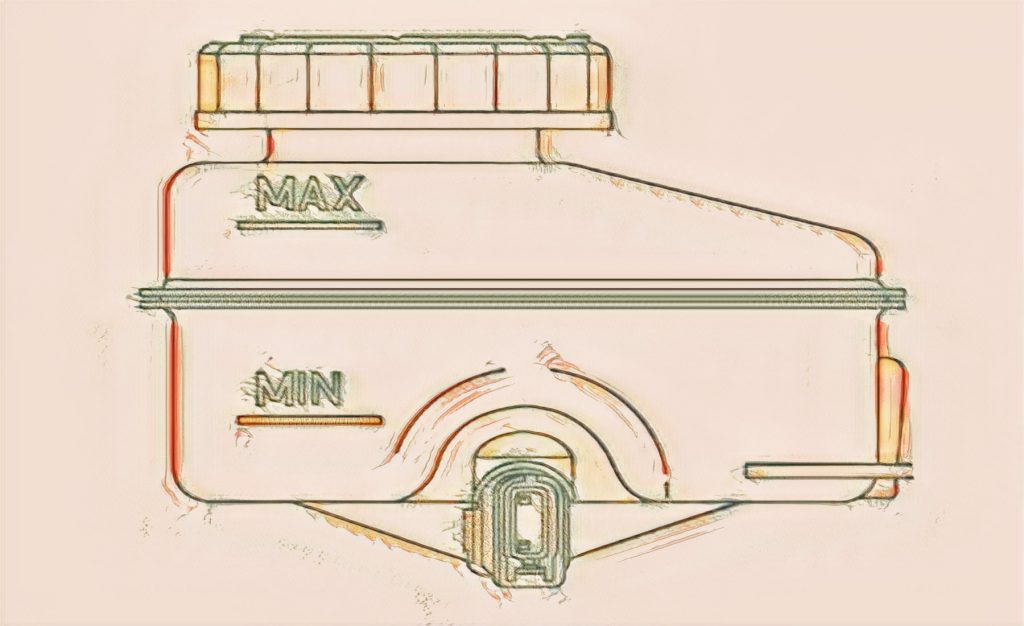
  1. Observe the brake fluid level in the master cylinder reservoir tank. Partially drain brake fluid if necessary. Refer to Draining.
  2. Remove the front wheel and tire using a power tool. Refer to Removal and Installation .
  3. Remove the brake pads, shims, and pad retainers from the torque member. Refer to Removal and Installation


    CAUTION:
    – Do not damage the pad retainers or the piston boot.
    – Do not drop the brake pads, shims, or pad retainers.
    – Note the position of components during removal to aid with installation.


  4. Remove the bolts and the torque member. Refer to Exploded View.
  5. Place alignment marks on the disc brake rotor and the wheel hub, then remove the disc brake rotor.


    CAUTION: Do not drop the disc brake rotor.
    Once the cylinder has been removed, you can move on to the next stage:

Installation:

  1. Installation is in the reverse order of removal. Proceed as follow: 

    • Using a suitable tool, press the piston into the brake caliper body


    CAUTION: Do not damage the piston boot.

    Check brake fluid level and refill as necessary. Refer to Inspection.

Inspection after Installation:

Burnish contact surfaces after refinishing or replacing disc brake rotors or if a soft pedal occurs at very low mileage. Refer to Periodic Maintenance Operation.

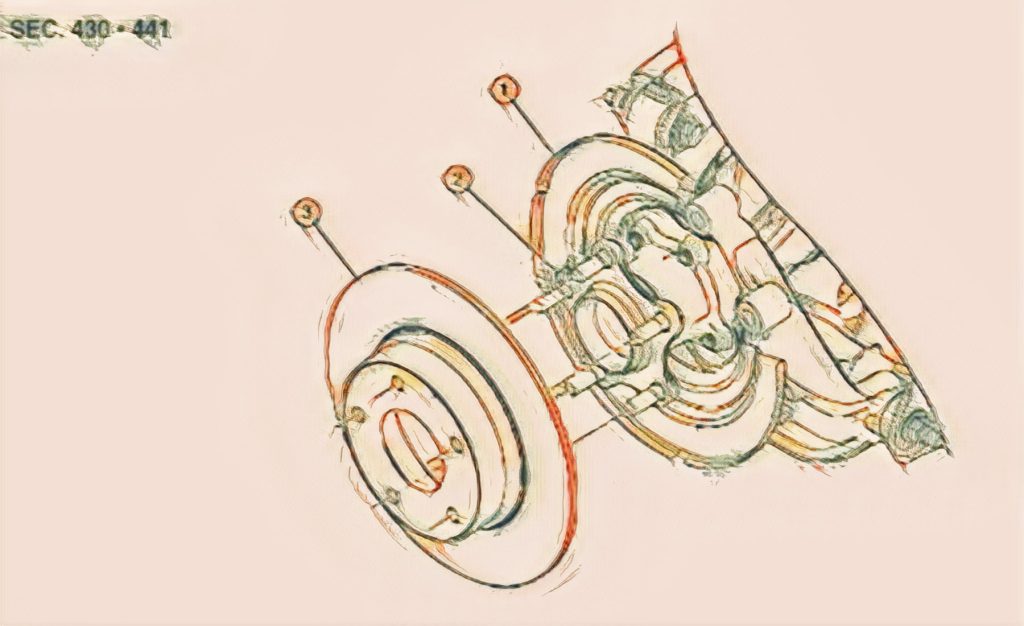
Nissan-Sentra-2020-2023-8th-Gen-2.0L-brake-Rotor-Removal-Installation
  1. Back plate
  2. Wheel hub
  3. Disk brake Rotor

After having worked on the removal of the brake cylinder, we will start with the discs and pads:

An expert auto repair broward county

Transparency and pofesionalism
are at the forefront of all our
automotive repair services.

Sentra 8th Gen REAR DISC BRAKE ROTOR Removal

  1. Observe the brake fluid level in the master cylinder reservoir tank. Partially drain brake fluid if necessary. Refer to Draining.
  2. Remove the rear wheel and tire using a power tool. Refer to Removal and Installation .
  3. Remove the brake pads, pad springs, and shims from the torque member. Refer to Removal and Installation


    CAUTION:
    – Do not damage the pad retainers or the piston boot.
    – Do not drop the brake pads, shims, or pad retainers.
    – Note the position of components during removal to aid with installation.


  4. Remove the bolts and the torque member. Refer to Exploded View.
  5. Place alignment marks on the disc brake rotor and the wheel hub, then remove the disc brake rotor

    CAUTION: Do not drop the disc brake rotor.

Sentra 8th Gen Front Disc Brake Rotor Installation

Installation is in the reverse order of removal.

  • Using a suitable tool, turn the piston into the brake caliper body


CAUTION: Do not damage the piston boot.


  • Check brake fluid level and refill as necessary. Refer to Inspection

Inspection after installation

Burnish contact surfaces after refinishing or replacing disc brake rotors or if a soft pedal occurs at very low mileage. Refer to Periodic Maintenance Operation.

Deeper Inspection

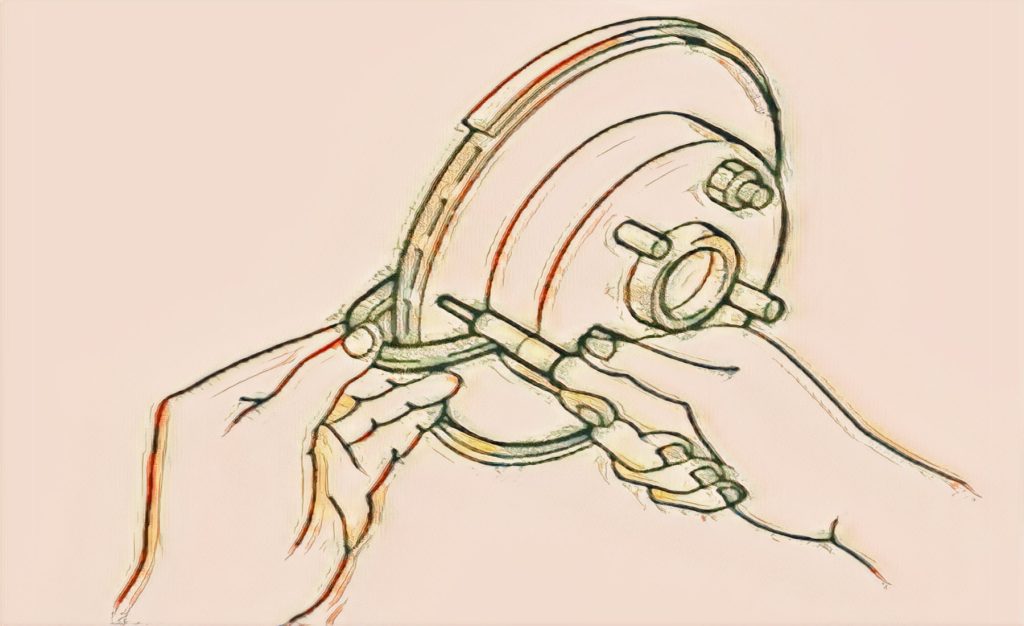
Check for uneven wear of the disc brake rotor using a micrometer. Replace the disc brake rotor if the thickness is below the wear limit. Refer to Removal and Installation.

Inspection - Front Disc Brake Rotor

Appearance:

  1. Check the wheel bearing axial end play before the inspection. Refer to Inspection .
  2. Secure the disc brake rotor to the wheel hub with wheel nuts at two wheel nut locations.

  3. Measure the runout using a dial indicator to 10 mm (0.39 in) from the disc brake rotor edge.
  4. Find the installation position with the minimum runout by shifting the disc brake rotor-to-wheel hub installation position by one hole at a time if the runout exceeds the limit value.
  5. Refinish the disc brake rotor if the runout is outside the limit even after performing the above operation. When refinishing, use Tool.

    CAUTION:

    • Check in advance that the thickness of the disc brake rotor is wear thickness + 0.3 mm (0.012 in) or more.
    • If the thickness is less than wear thickness + 0.3 mm (0.012 in), replace the disc brake rotor. Refer to Removal and Installation .

Thickness:
Check the thickness of the disc brake rotor using a micrometer. Replace the disc brake rotor if the thickness is below the wear limit. Refer to Removal and Installation .

Inspection - Rear Disc Brake Rotor Appearance:

Check the surface of the disc brake rotor for uneven wear, cracks, or damage. Replace the disc brake rotor if any abnormal conditions exist. Refer to Removal and Installation .

Runout:

  1. Check the wheel bearing axial end play before the inspection. Refer to Inspection .
  2. Secure the disc brake rotor to the wheel hub with wheel nuts at two wheel nut locations
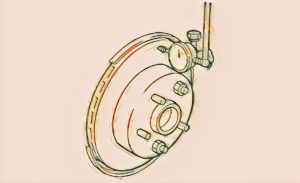
  3. Measure the runout using a dial indicator to 10 mm (0.39 in) from the disc brake rotor edge
  4. Find the installation position with the minimum runout by shifting the disc brake rotor-to-wheel hub installation position by one hole at a time if the runout exceeds the limit value.
  5. Refinish the disc brake rotor if the runout is outside the limit even after performing the above operation. When refinishing, use Tool.

    CAUTION:

  • Check in advance that the thickness of the disc brake rotor is wear thickness + 0.3 mm (0.012 in) or more.
  • If the thickness is less than wear thickness + 0.3 mm (0.012 in), replace the disc brake rotor. Refer to Removal and Installation .

Thickness:

Check the thickness of the disc brake rotor using a micrometer. Replace the disc brake rotor if the thickness is below the wear limit. Refer to Removal and Installation .

Although conducting these procedures professionally may appear difficult, we are confident that if you follow the advice and guidelines and pay close attention to every detail, the task will be a lot easier and produce excellent results. For the purpose of removing and installing the brake master cylinder in your Nissan Altima, if you still have this brief instruction booklet, we suggest consulting the skilled brake repair and maintenance services team at AutoTech Mobile Mechanic.

SCHEDULE AN APPOINTMENT TODAY

Our Mobile Mechanic Services in The Broward County Area

DAVIE, PEMBROKE PINES, MIRAMAR, COOPER CITY, WESTON, SOUTHWEST RANCHES, PLANTATION, TAMARAC, SUNRISE,  FT LAUDERDALE

Davie Location

+600 positive reviews

Pembroke Pines Location

+240 positive reviews

What our clients says

Skip to content