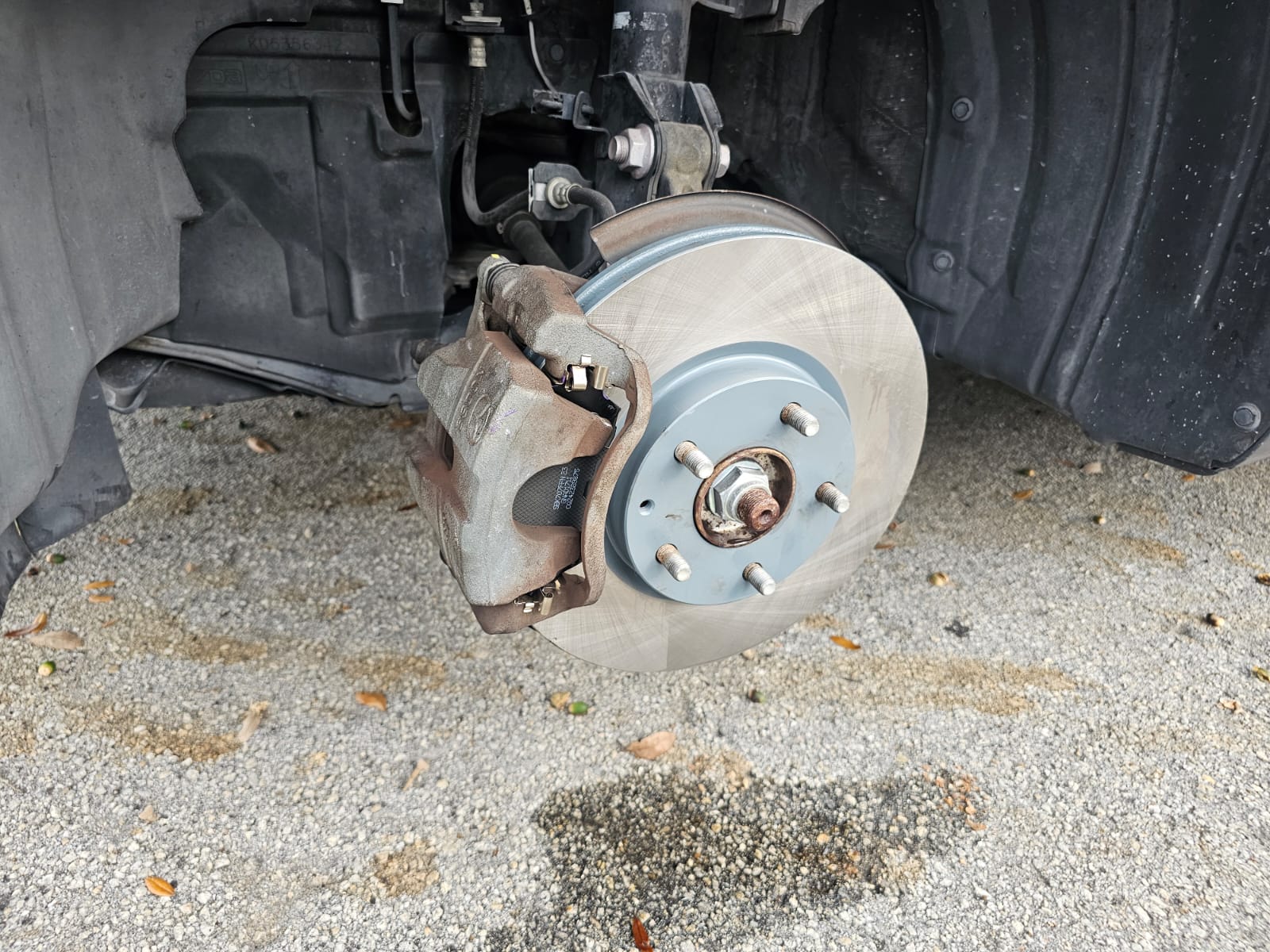
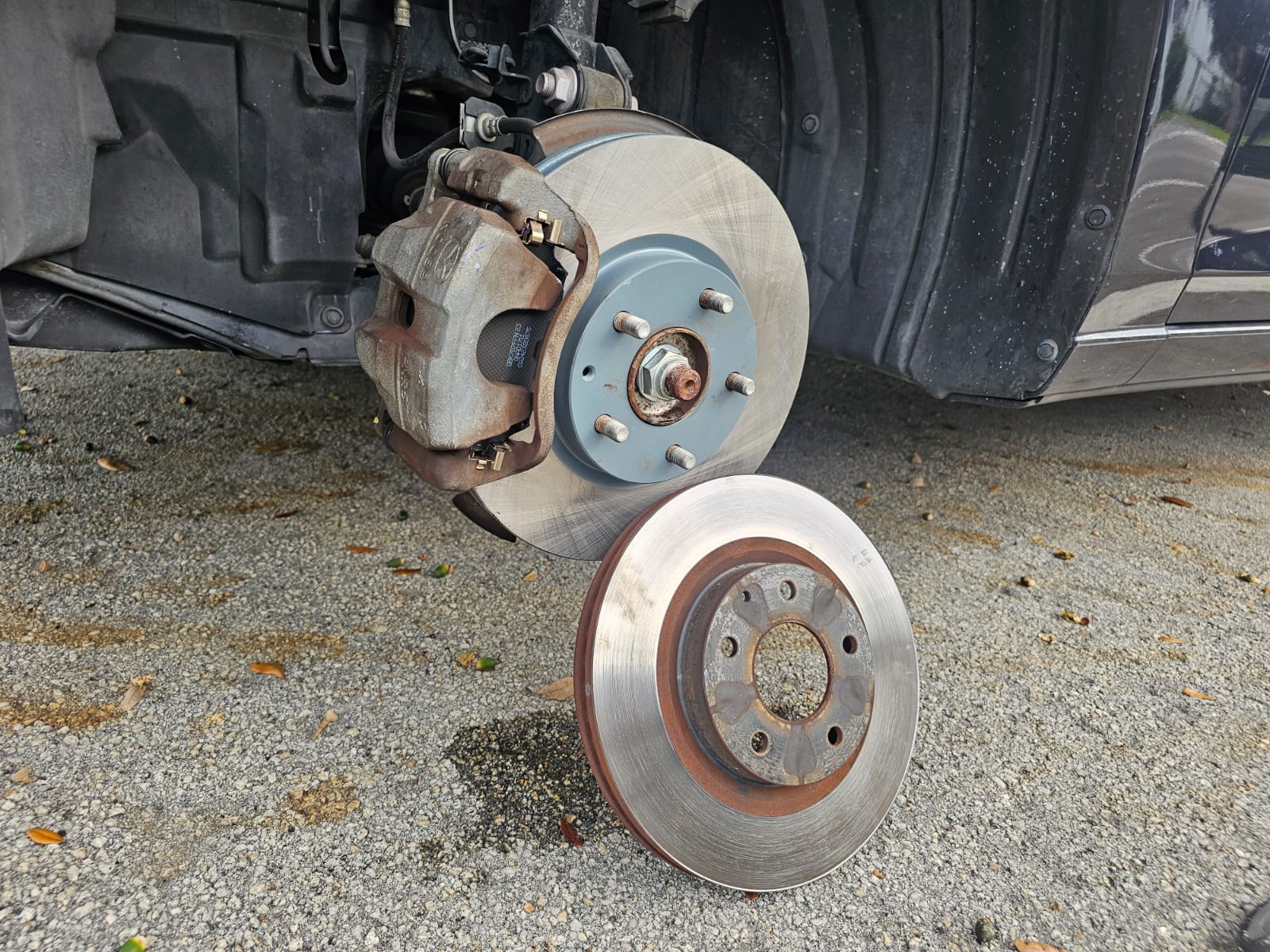
If you need to replace the brake pads and rotor of your Mazda 6, you have come to the item you were looking for. In this post we will be showing you the step by step that you must follow to execute the removal, replacement and installation process easily and effectively. Discover more here!
Before starting, you need to follow a couple of tips that will help you improve the execution of the procedures:
Your safety is paramount, so we recommend that you use all utensils and clothing to avoid accidents or injuries, such as gloves, industrial boots, glasses or a mask, and more.
Try to have everything at hand and nearby, spare parts, tool box, user manual.
You will need the following tools: lug wrench, jack and jack stands, socket wrench set, C-clamp, brake pad grease and of course, the brake pads replacement.
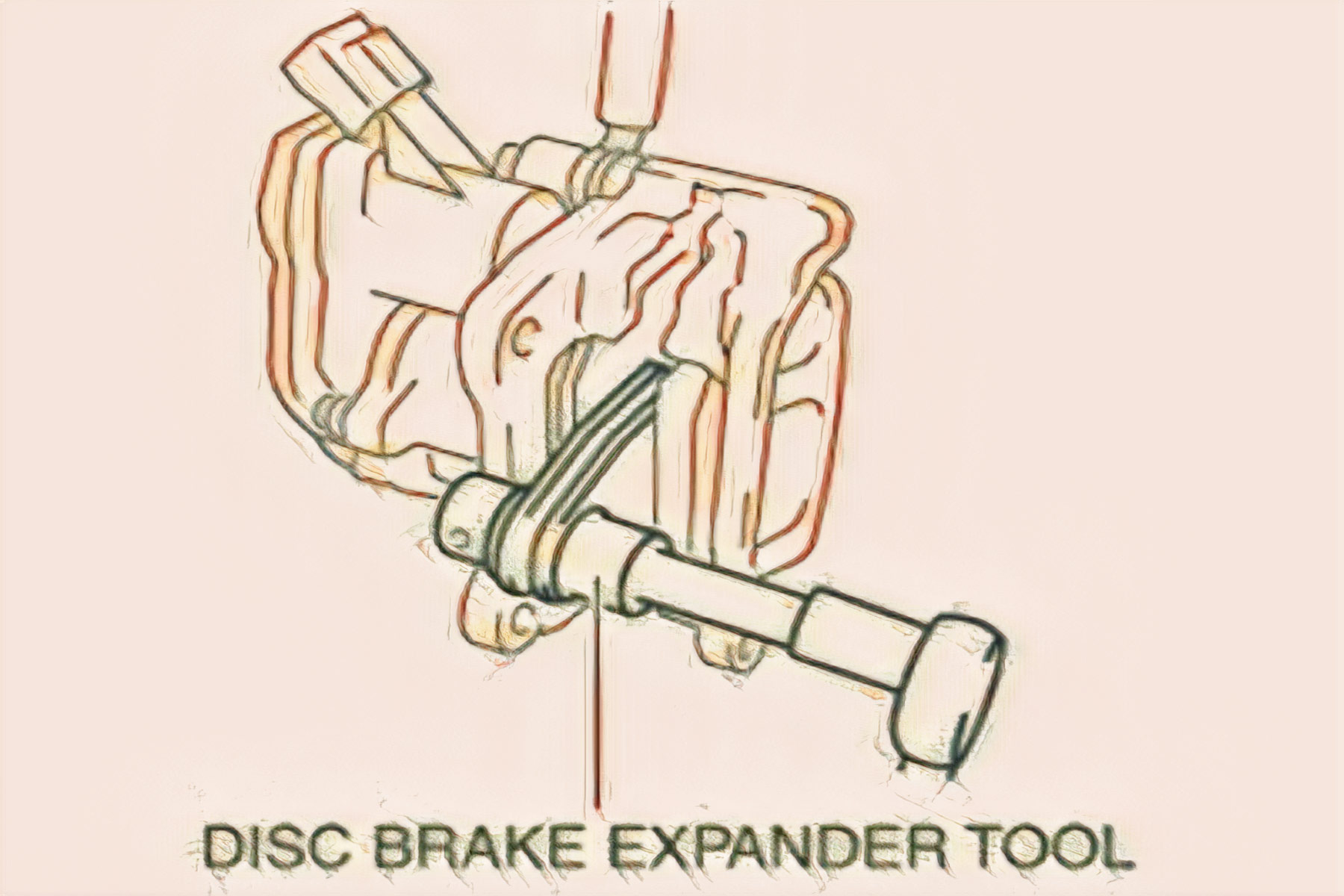
2. Push the piston in using the commercially available disc brake expand tool.
3. Install the disc pads to the mounting support.
Mazda 6 Brake Pad (REAR) REPLACEMENT
NOTE:
When in maintenance mode, the clearance between the disc pad and the disc plate expands.
When the maintenance mode is completed, perform the electric parking brake automatic adjustment.
With the electric parking brake automatic adjustment, the electric parking brake motor gear unit operation time is longer than normal.
1. Switch to the maintenance mode. (See MAINTENANCE MODE .)
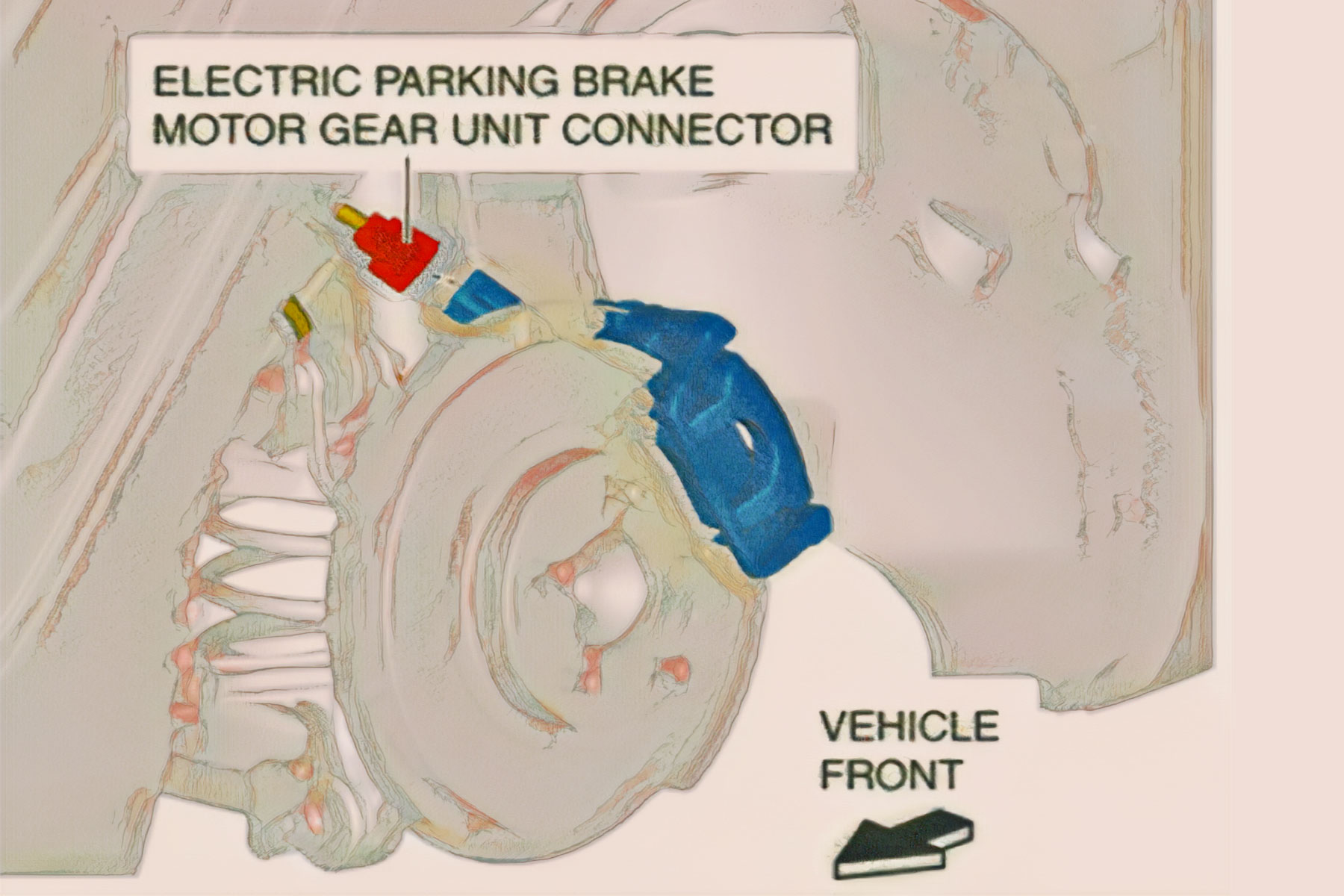
2. Disconnect the electric parking brake motor gear unit connector
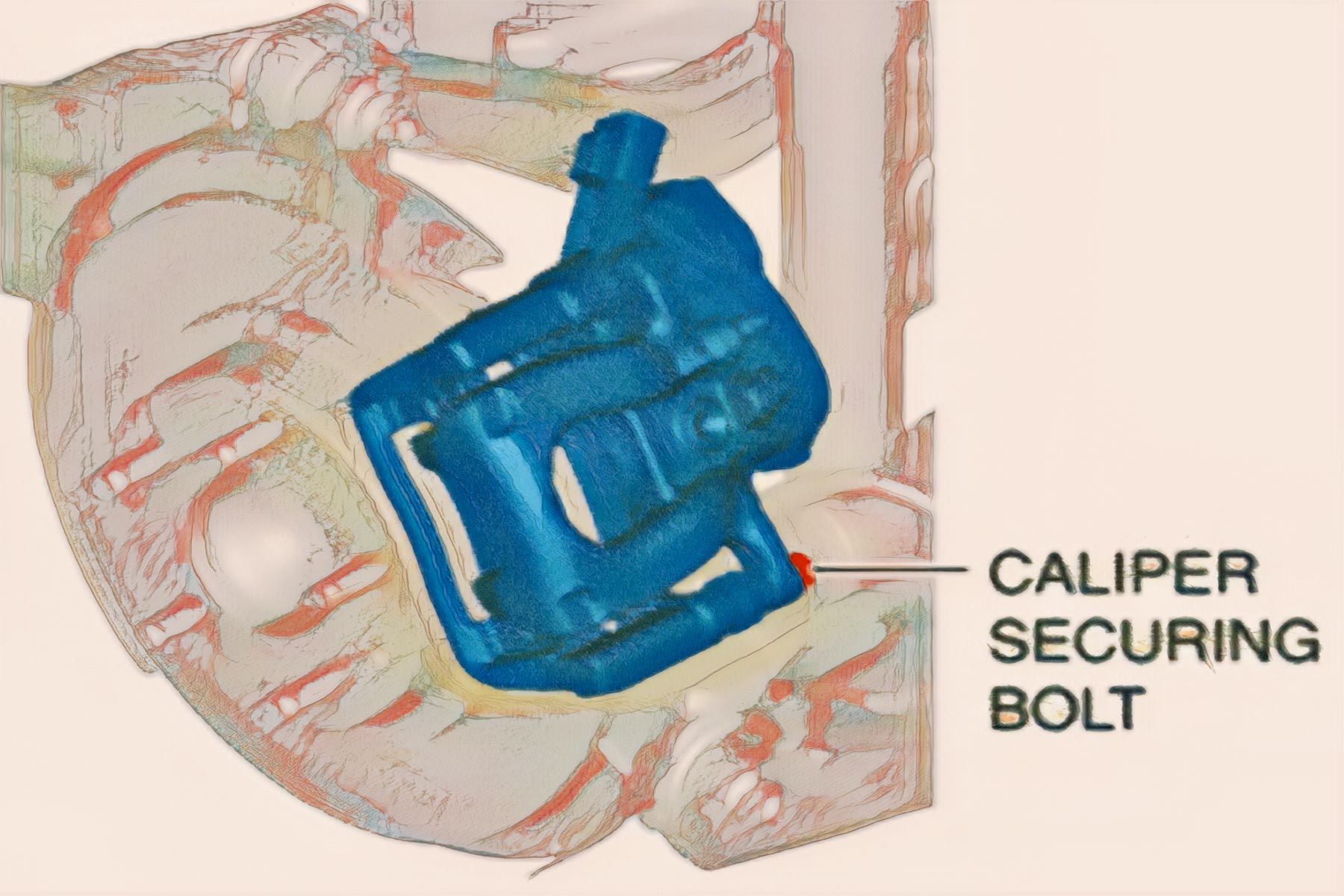
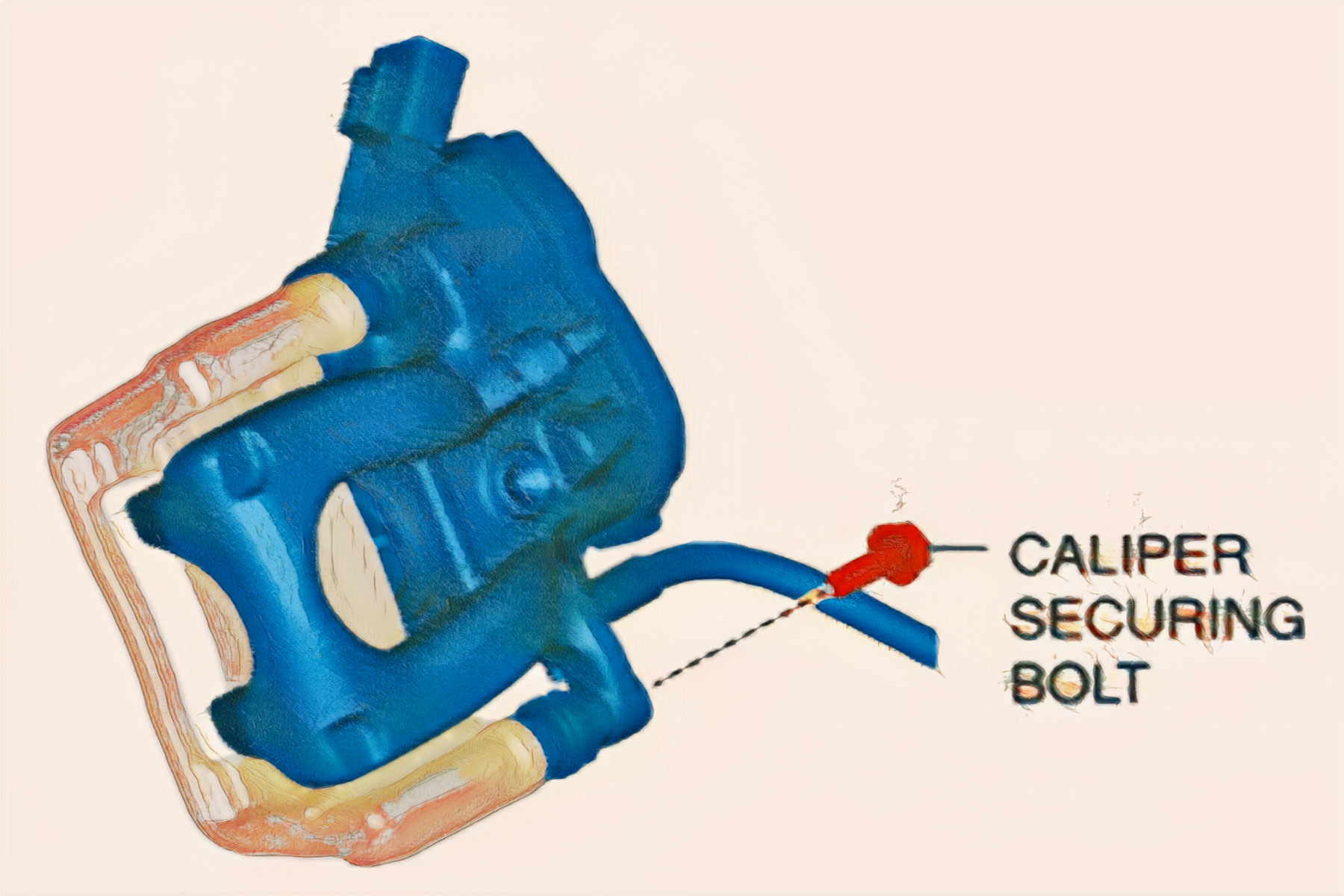
3. Loosen the caliper securing bolt
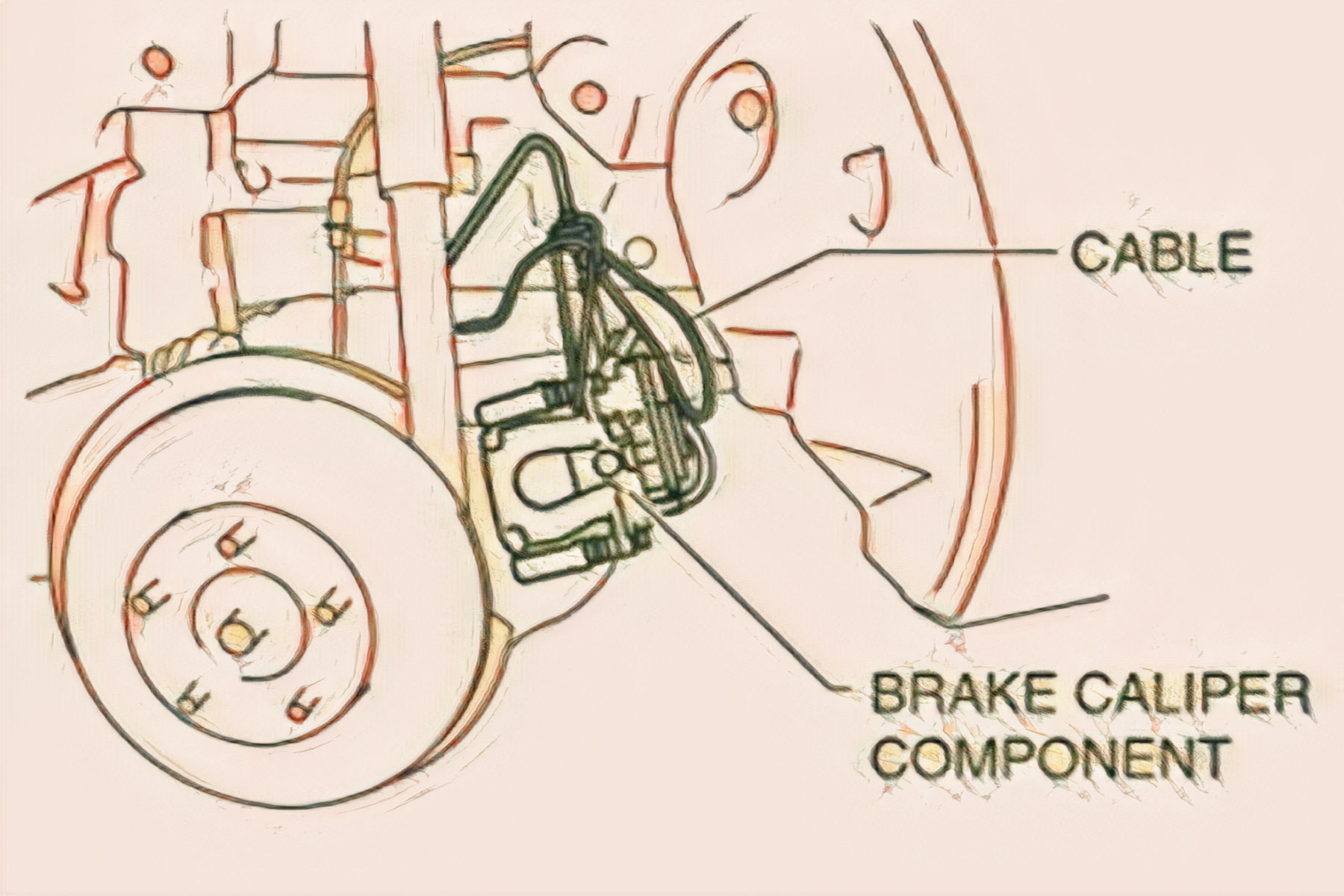
4. Remove the brake caliper component from the hub support and suspend it out of the way with a cable. (See REAR BRAKE (DISC) REMOVAL/INSTALLATION.)
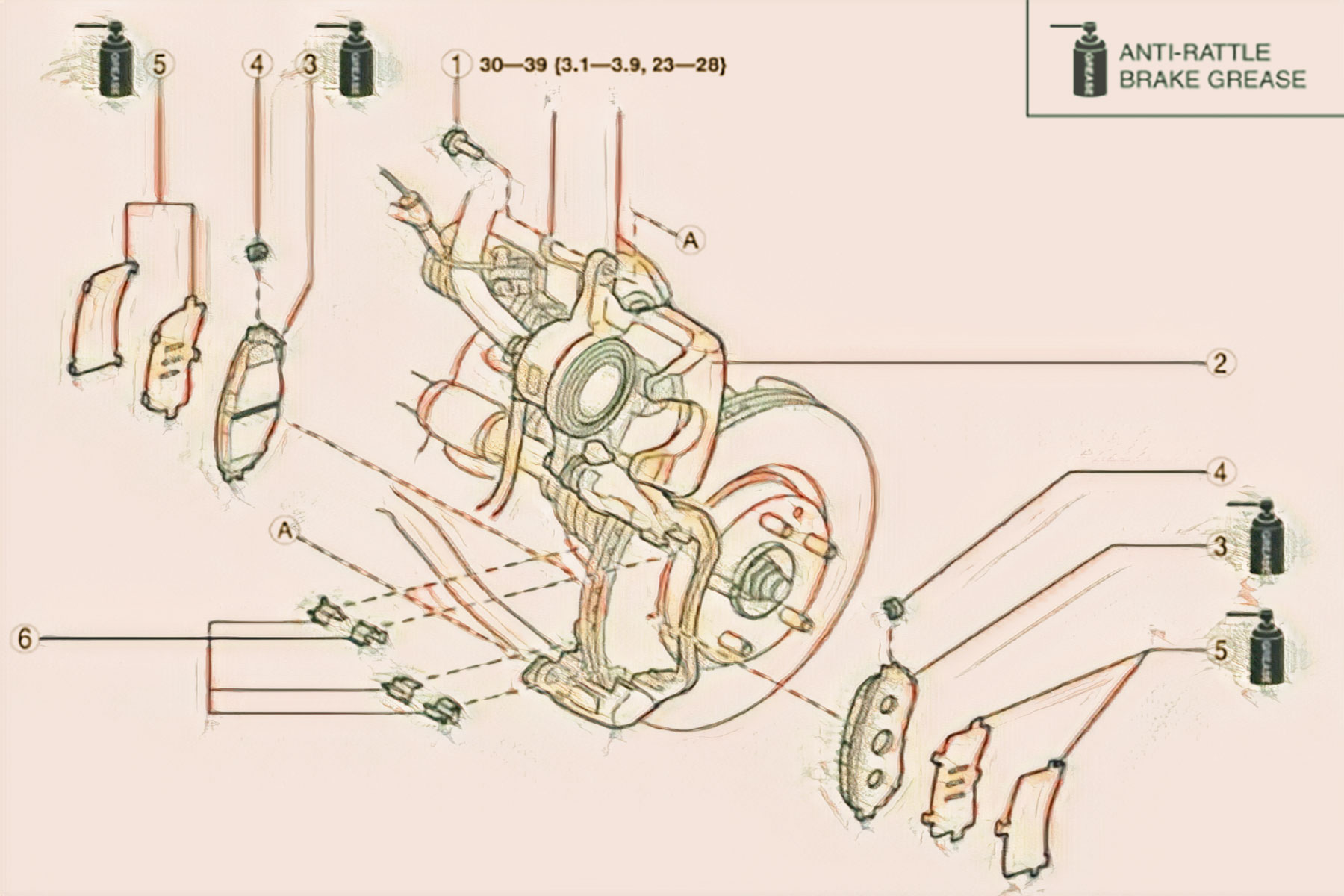
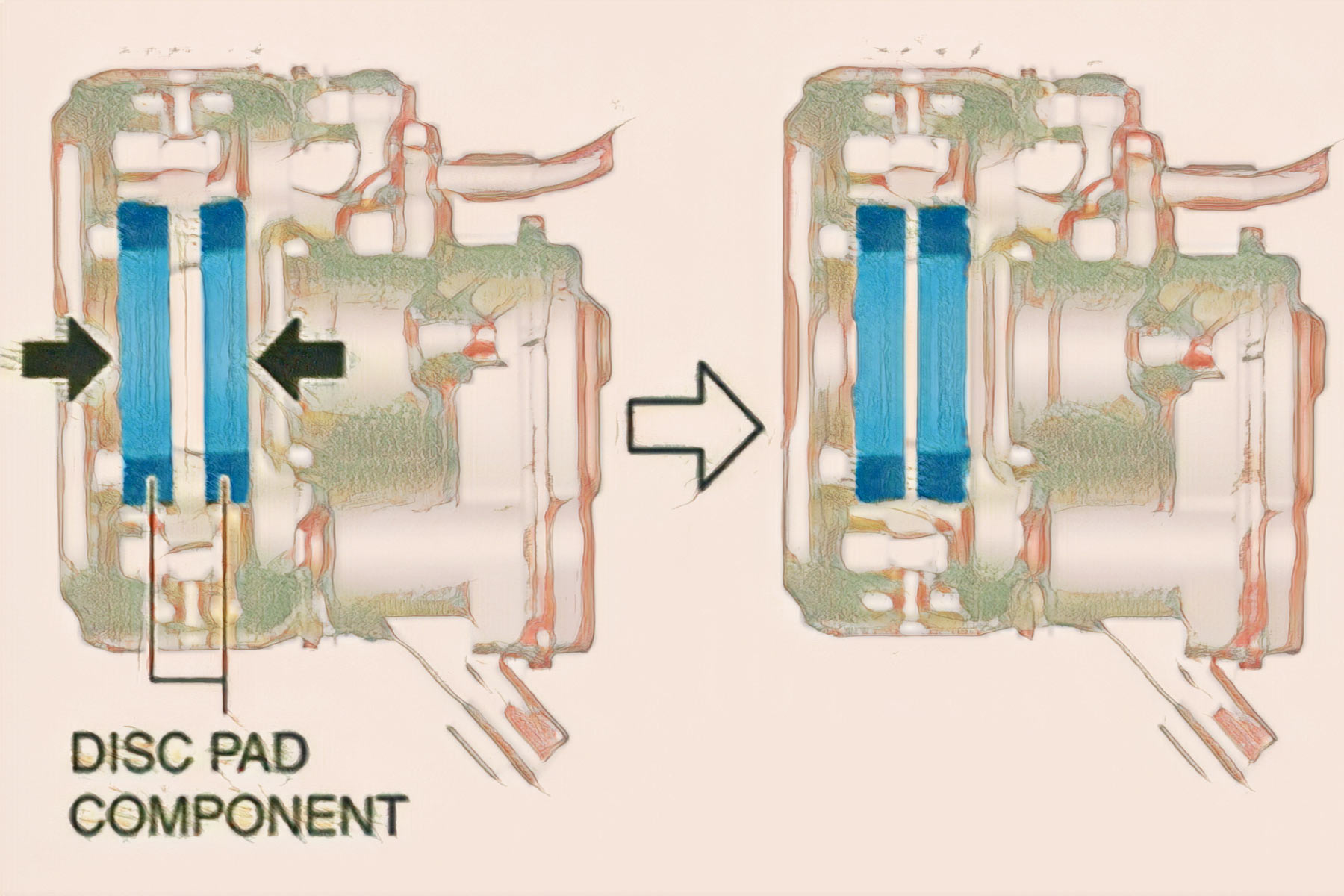
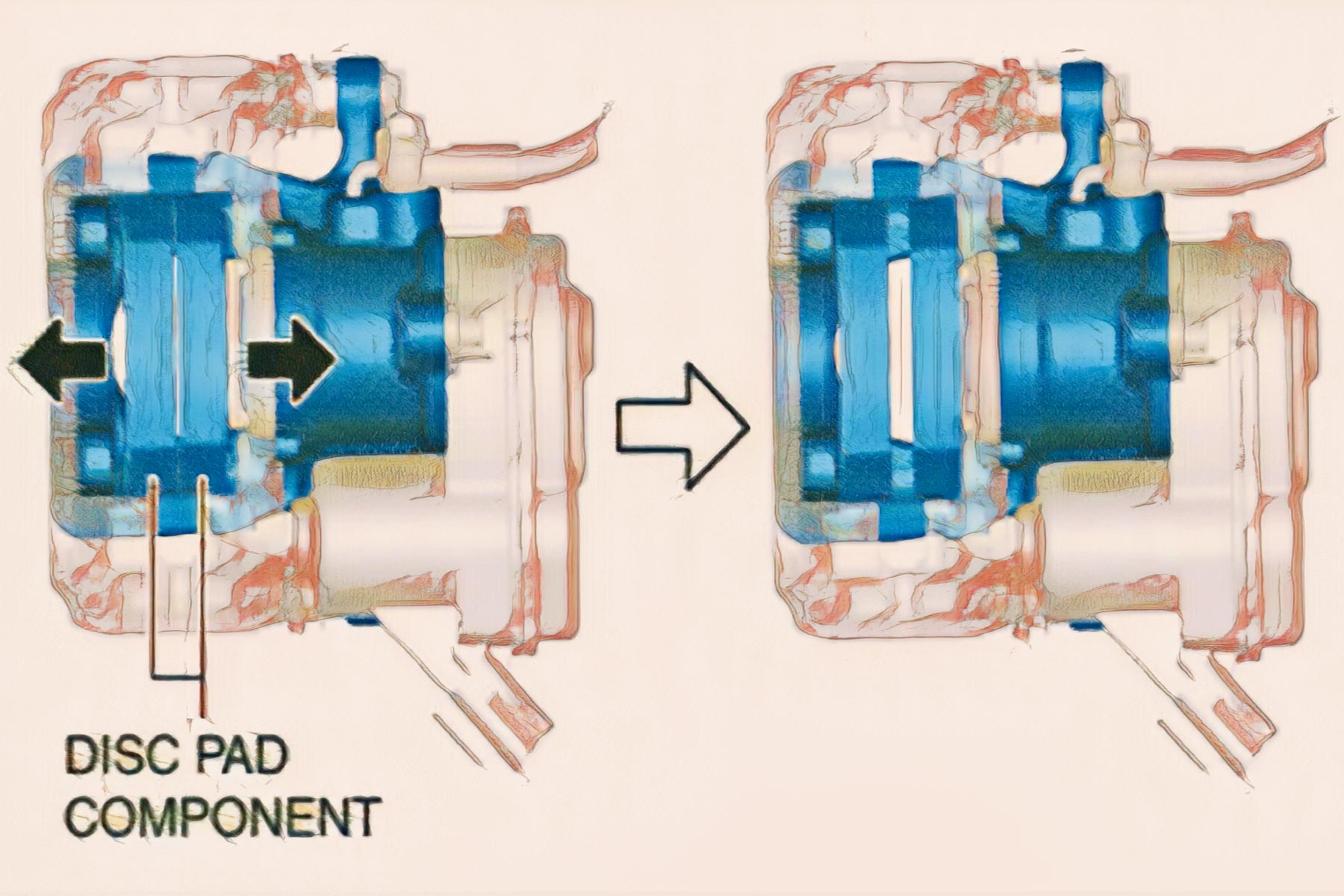
5.Move the disc pad components in the direction of the arrows shown in the figure, then peel off the disc pad components from the caliper and piston
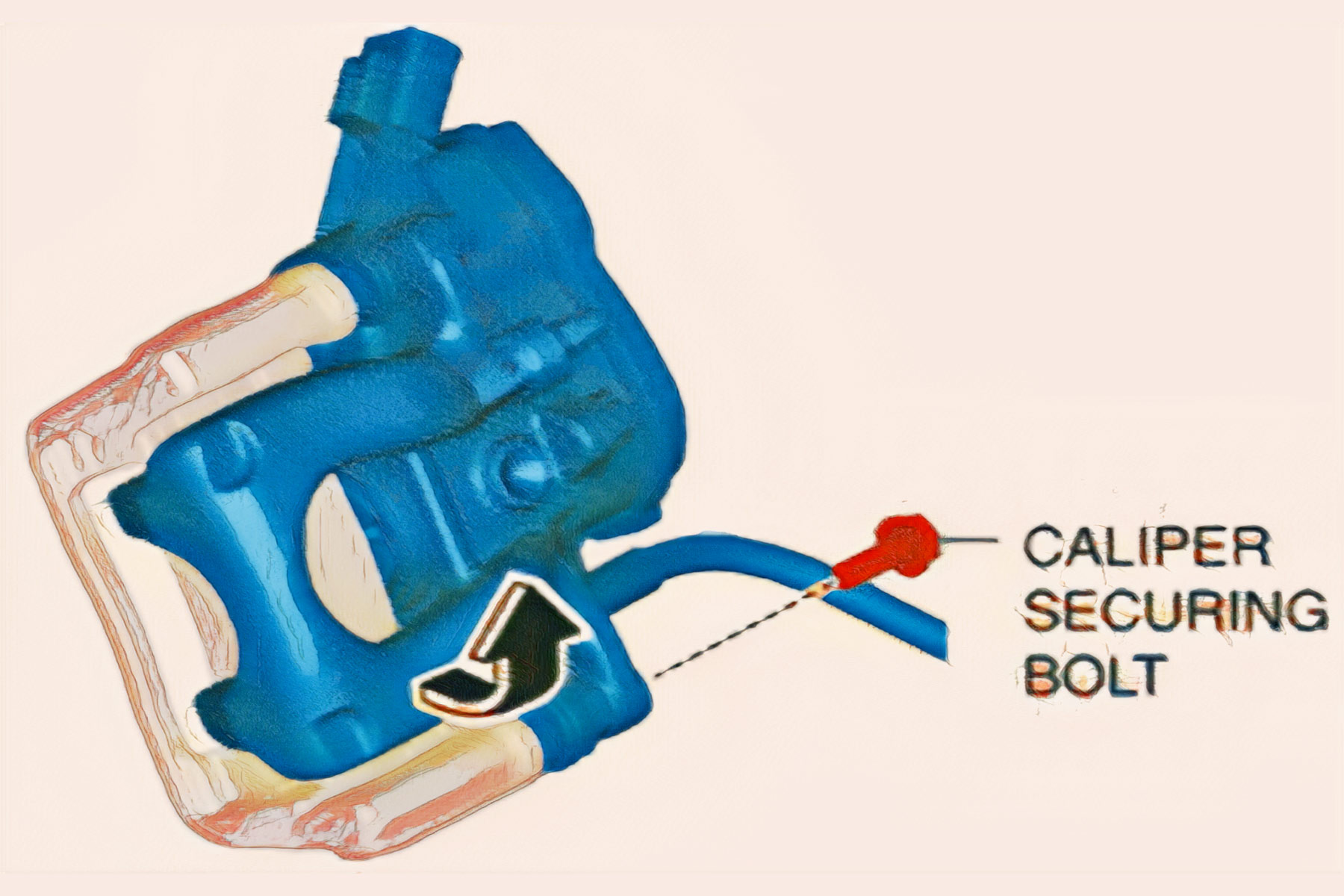
6. Remove the caliper securing bolt
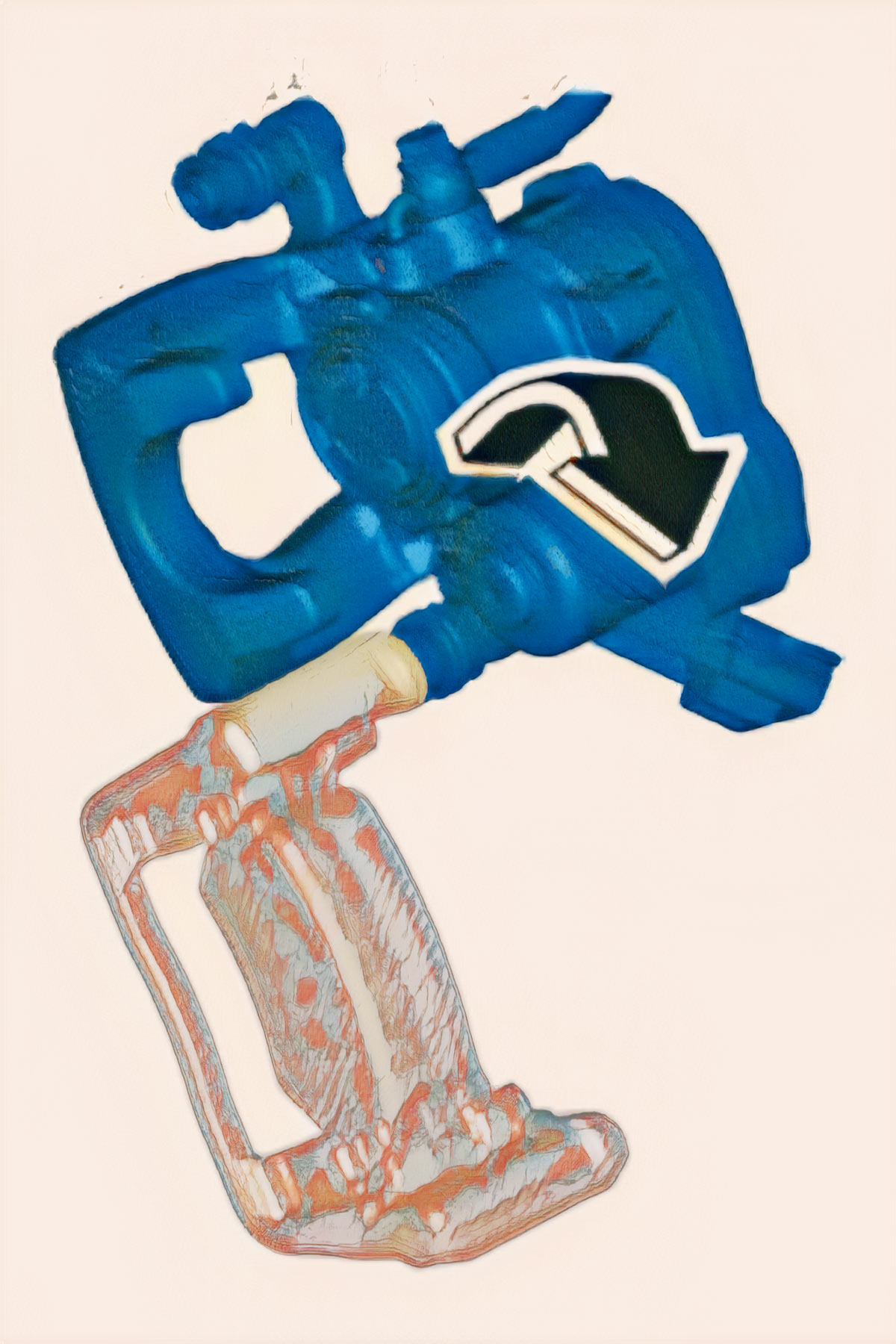
7. Move the caliper in the direction of the arrow shown in the figure.
8. Remove the disc pad components from the mounting support.
9. Clean the double-sided adhesive tape application area from the caliper, piston and disc pad components.
10. Press in the piston using a commercially available disc brake expander tool.
CAUTION:
– When pressing the piston into the caliper, the caliper internal parts could be damaged while rotating and pressing the piston. Be careful not to rotate the piston when pressing the piston into the caliper.
11. Install the new disc pad components to the mounting support.
12. Move the disc pad components in the direction of the arrows shown in the figure.
13. Peel off the backing of the double-sided adhesive tape from the disc pad components.
14. Move the caliper in the direction of the arrow as shown in the figure.
CAUTION:
When the double-sided adhesive tape is affixed to the caliper and piston, the double-sided adhesive tape’s adhesive surface may chap and become a source of noise when the caliper moves. When moving the caliper be careful not to allow the double-sided adhesive tape on the disc pad components to come in contact with the caliper and piston
15. Temporarily install the caliper securing bolt.
16. Move the disc pad component in the direction of the arrows shown in the figure, and lightly affix the double-sided adhesive tape on the disc pad components to the piston and caliper.
17. Install the brake caliper component
18. Install the caliper securing bolt.
19. Connect the electric parking brake motor gear unit connector.
20. End the maintenance mode.
21. Pump the brake pedal a few times to attach the double-sided adhesive tape on the disc pad components to the caliper and piston by applying pressure.
22. Inspect the following items:
Disc pad projection does not contact piston and caliper
Brake drag
Transparency and pofessionalism are at the forefront of all our Mobile Brake Services.
2. Push the piston in using the commercially available disc brake expand tool
3. Install the disc pads to the mounting support.
Although these procedures seem simple to perform, you may encounter some obstacles if you are not an expert in light mechanics, however, there are always specialized professionals who can give you the advice and expertise you need, in the comfort of your home. At AutoTech Mobile we have quality services in brakes, AA and much more with the best price ratio on the market. Don’t forget to perform regular maintenance on your car’s brake systems to maintain their optimal functioning and extend their useful life.
SCHEDULE AN APPOINTMENT TODAY
Our Mobile Mechanic Services in The Broward County Area
DAVIE, PEMBROKE PINES, MIRAMAR, COOPER CITY, WESTON, SOUTHWEST RANCHES, PLANTATION, TAMARAC, SUNRISE, FT LAUDERDALE
Davie Location
+600 positive reviews
Pembroke Pines Location
+240 positive reviews
What our clients says
Posted on Google
Eduardo flores
Trustindex verifies that the original source of the review is Google.
I found the only honest, 100% reliable mechanic in south Florida. Manuel is professional, punctual and he knows the in and out of my car. I fully recommend him! Thanks for a great job!
Posted on Google
Marcos Paternoster
Trustindex verifies that the original source of the review is Google.
Professional service and very honest.
Posted on Google
Natasha Estevez
Trustindex verifies that the original source of the review is Google.
Manny was extremely knowledgeable and the most honest mechanic I’ve met. Even though there ended up being no repair needed on my car, he walked me through the diagnostic and explained what I need to look out for in the future. I will definitely go to him again and recommend him to my friends and family.
Posted on Google
Mike King
Trustindex verifies that the original source of the review is Google.
Wheel stud replacement. I was in a jam and Manny came to the rescue. Very professional and honest. All around great mechanic and great guy. Highly recommend 10/10!
Posted on Google
James Moritz
Trustindex verifies that the original source of the review is Google.
Almost got a ticket today because of Manny! After having my struts and shocks replaced the car was running so smooth that I didn't realize how fast I was going....instead of feeling like I was in a paint shaker. First class individual, fair and honest pricing, and no waiting at the repair shop for hours on end! I recommend him without reservation, you will too!
Posted on Google
Dawn Prospect
Trustindex verifies that the original source of the review is Google.
Excellent service! Manny was very professional, communicated effectively regarding his arrival time and provided us with great information. I would definitely recommend his services.
Posted on Google
Joshua Rosario
Trustindex verifies that the original source of the review is Google.
This man is awesome. I just finished service with him. My nissan altima was not starting or reading the brake pedal. It wasn't providing any codes so finding the issue was not easy. Manuel took the extra steps to find what the issue was since it was outside the communication of the vehicle. Turned out there was an anti theft device on my car from the bank was improperly installed. He found the issue corrected the connection of the device and the car is good to go! An hour from the time I called he was able to get out to me. It's been exactly 1 hour and 20 mins since the initial call and my issue is resolved! Will be using him full time for any and all car repairs
Posted on Google
Irina M.
Trustindex verifies that the original source of the review is Google.
Manny is very professional and honest. We used his services twice and both times were very satisfied with the results. The first time, Manny diagnosed the origin of the issue we had with a headlight and the alert warnings on the dashboard of our Chrysler 300. During the second visit, Manny replaced two sensors on the same car. Both times the price was very reasonable and was given to us before starting the job. No surprises! Thank you, Manny. You are the best!
Posted on Google
Susan Nefores
Trustindex verifies that the original source of the review is Google.
Don't go anywhere else, this guy is the best! extremely smart and knows what he's doing. You will not be disappointed.
Posted on Google
Chantal Cook
Trustindex verifies that the original source of the review is Google.
Help me out of a jam with a simple solution. Quick to responding to my problem!!!!